

First time log in from the link in your member pass welcome email:
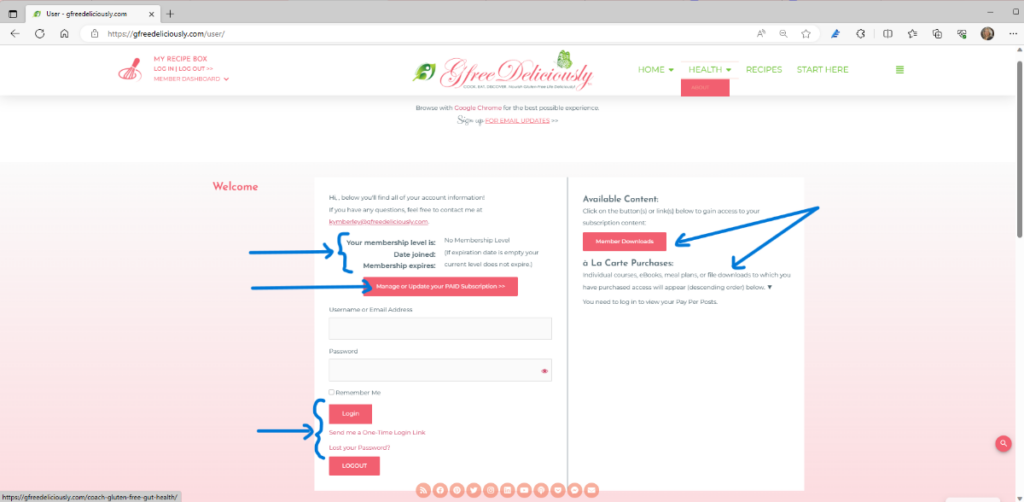
The first time you follow the login link from your pass member welcome email, you will be taken to your user/member dashboard on the website. In that dashboard, you will see the following:
- Your membership level
- The date you joined
- When your membership expires
- A button link to manage or upgrade your paid subscription
- An area to add your username or email
- A place to create a site password
- Log In and Log Out Buttons
- An option to be sent a one-time login link
- A link to reset your password
- Available content and links to any purchases you have made (like eBooks or pay-per-post items) purchased through your account
You will want to make sure that you add your email address (or create a username) and generate a password for your account before closing this window.
Future Login (after your password has been set):
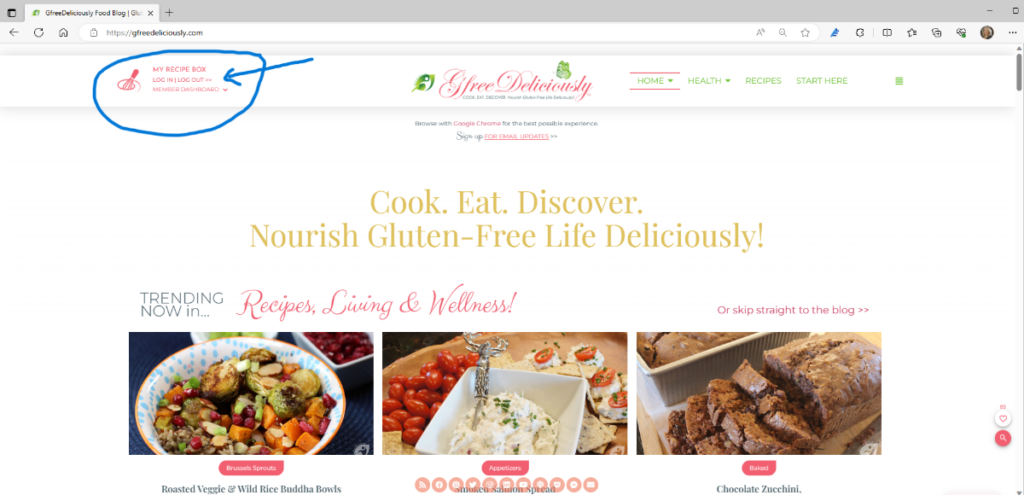
Step 1: To log in quickly, click on the pink “LOGIN NOW” button on the upper left of the menu bar on any page on the website.
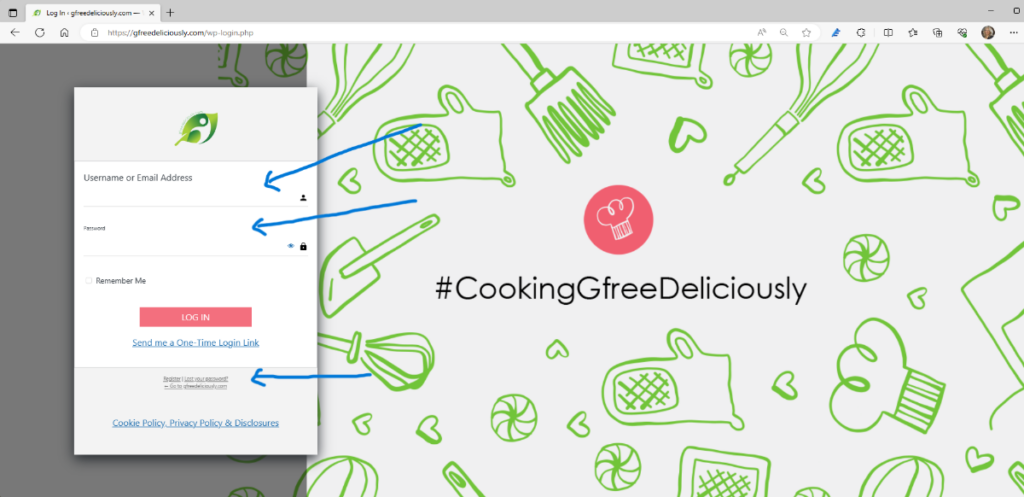
Step 2: You will be taken to the site member login screen. Add the email address or username that you used when setting up your member account. Then, add your password before clicking on the pink login button.
Alternatively, you can be sent a one-time login link.
If you have lost your password, click the “Lost your password” link in the grey box below.
Please note: Since you have registered as a site pass member, you do not need to click the register link in the grey box.
After logging in, you will be taken to your user account. On the left, you will see your account level and user details, including a button where you can manage or update your paid pass subscription. On the right is a button to the member downloads area, and below that, you will see links to any purchases you have made (like eBooks or pay-per-post items) assigned to your account.
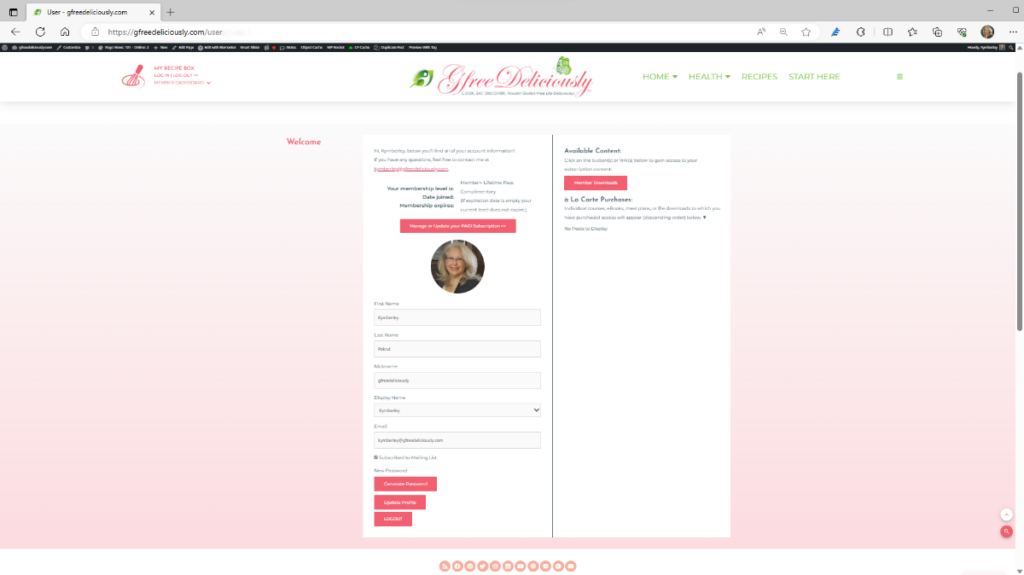
When you click on the “Manage or Update your PAID Subscription” button, you may be asked to log in again. You should use the same login email (or username) and password that you set up in your member pass account.
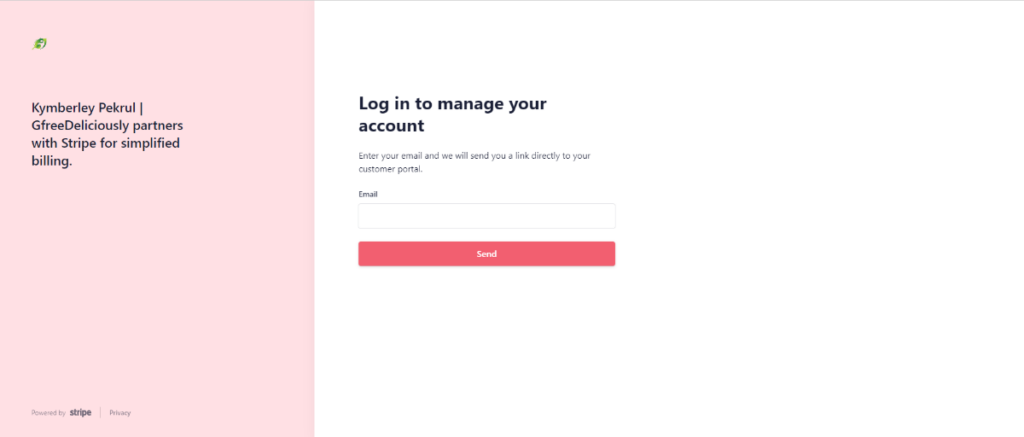
Another way to access your account:
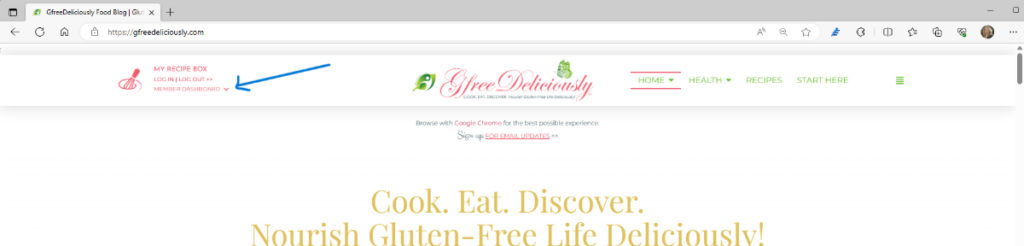
You can also log in or log out and access your user information from the Member Dashboard menu. Just click on the down arrow.
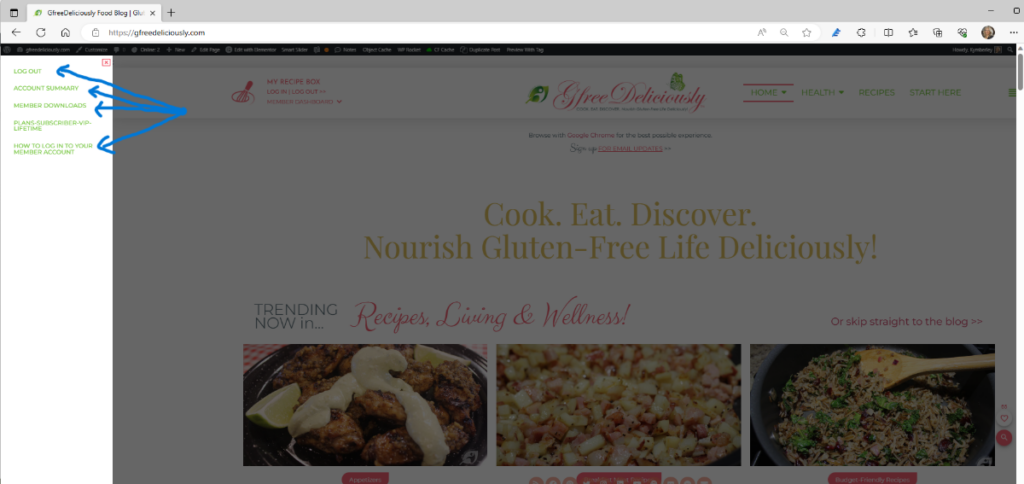
From there, when logged in, you can log out and find the links to your member user account summary and member downloads. When you are a registered pass member, you can access this document at any time to review the details for how to log in to your member account.
Thanks for becoming a GfreeDeliciously Pass member!
If you have any questions, feel free to contact me at ky*******@**************ly.com.
